
We added two highly requested features: Timesheets & Breaks. Let me tell you a little more about them and how you can use them to get the most out of solidtime.
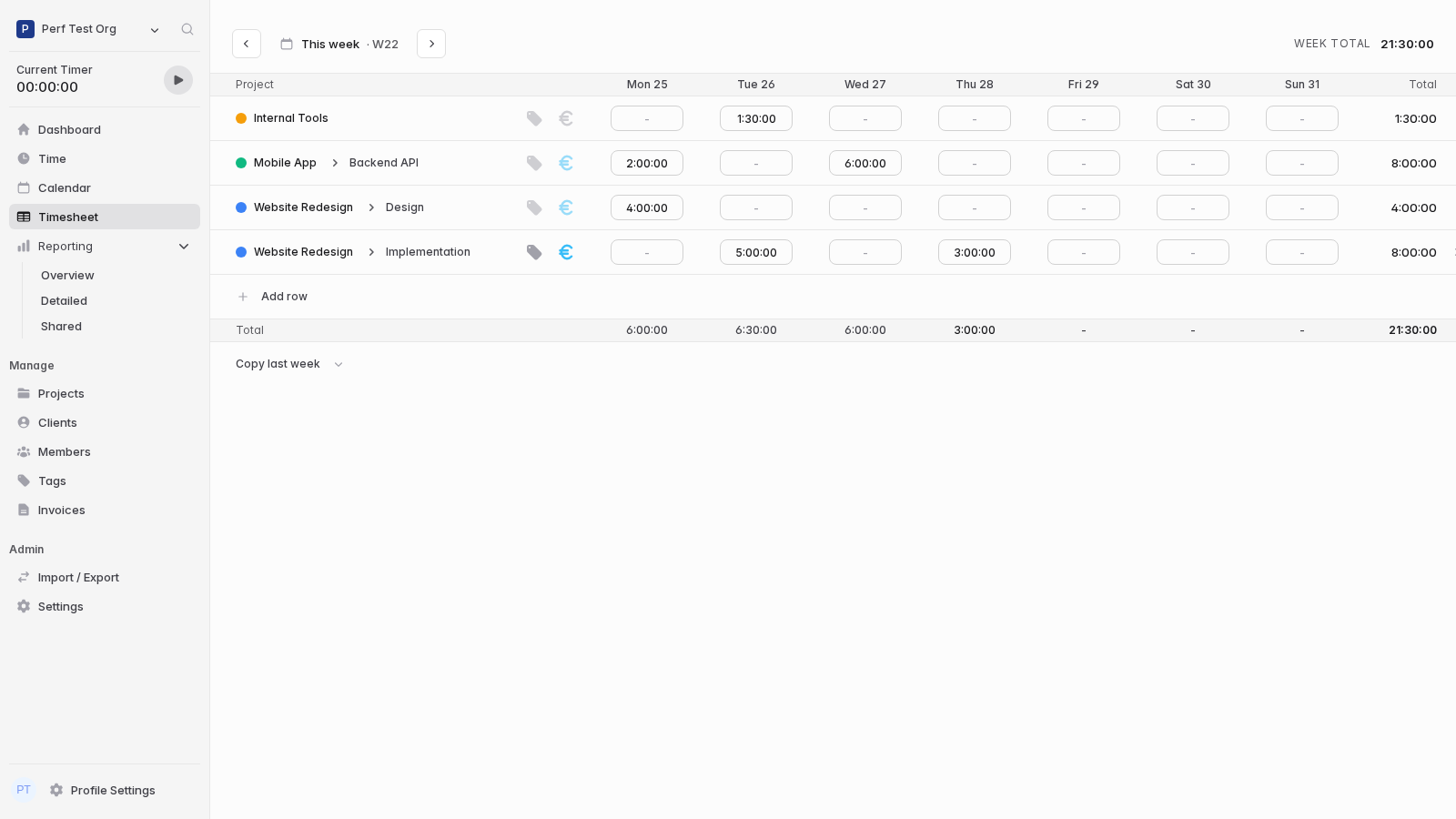
The Timesheet View makes it easy to add bulk time entries for projects and tasks across multiple days in a spreadsheet-like manner. Under the hood it uses the same time entries as Time and Calendar views.
You can easily copy the structure and time entries from previous weeks for recurring work. If you want to learn more about how the timesheet works, check out our dedicated docs page here.

You can now start a break directly from the Time Tracker component and resume your work with just one click when you get back. Breaks are time entries with a special type, which will not count towards your work time and can be filtered separately.
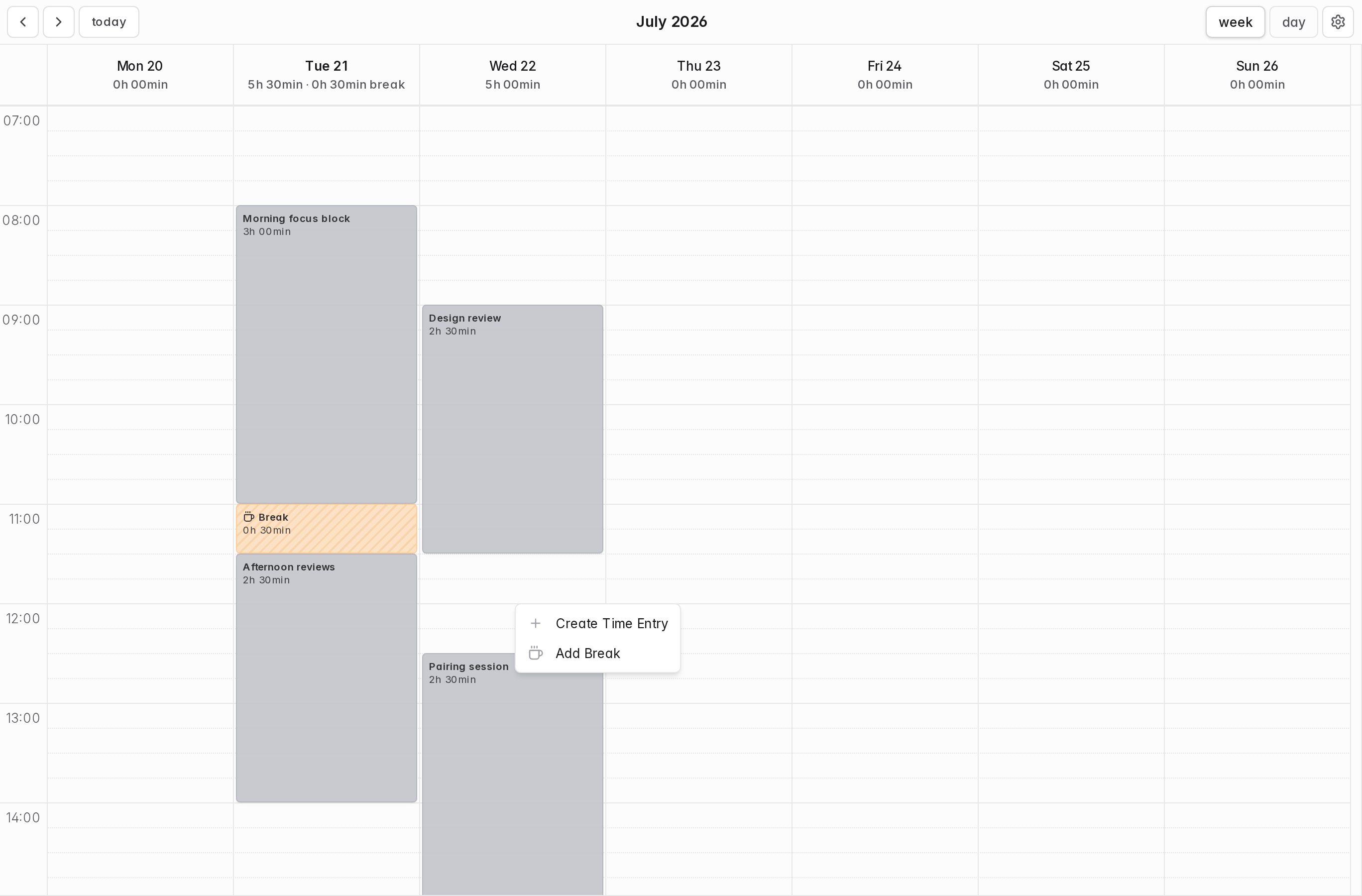
The easiest way to see and adjust breaks is the calendar view. Just like regular time entries, they can be dragged, dropped and resized. Breaks are also fully supported in the Timesheet view.
Breaks are disabled by default to avoid UI clutter for users who do not need them. If you want to use breaks you have to enable the "Allow tracking breaks" option in your organization settings.
To learn more about how breaks work, check out the in-depth docs here.





Don't want to receive these e-mails? Unsubscribe View in browser
