
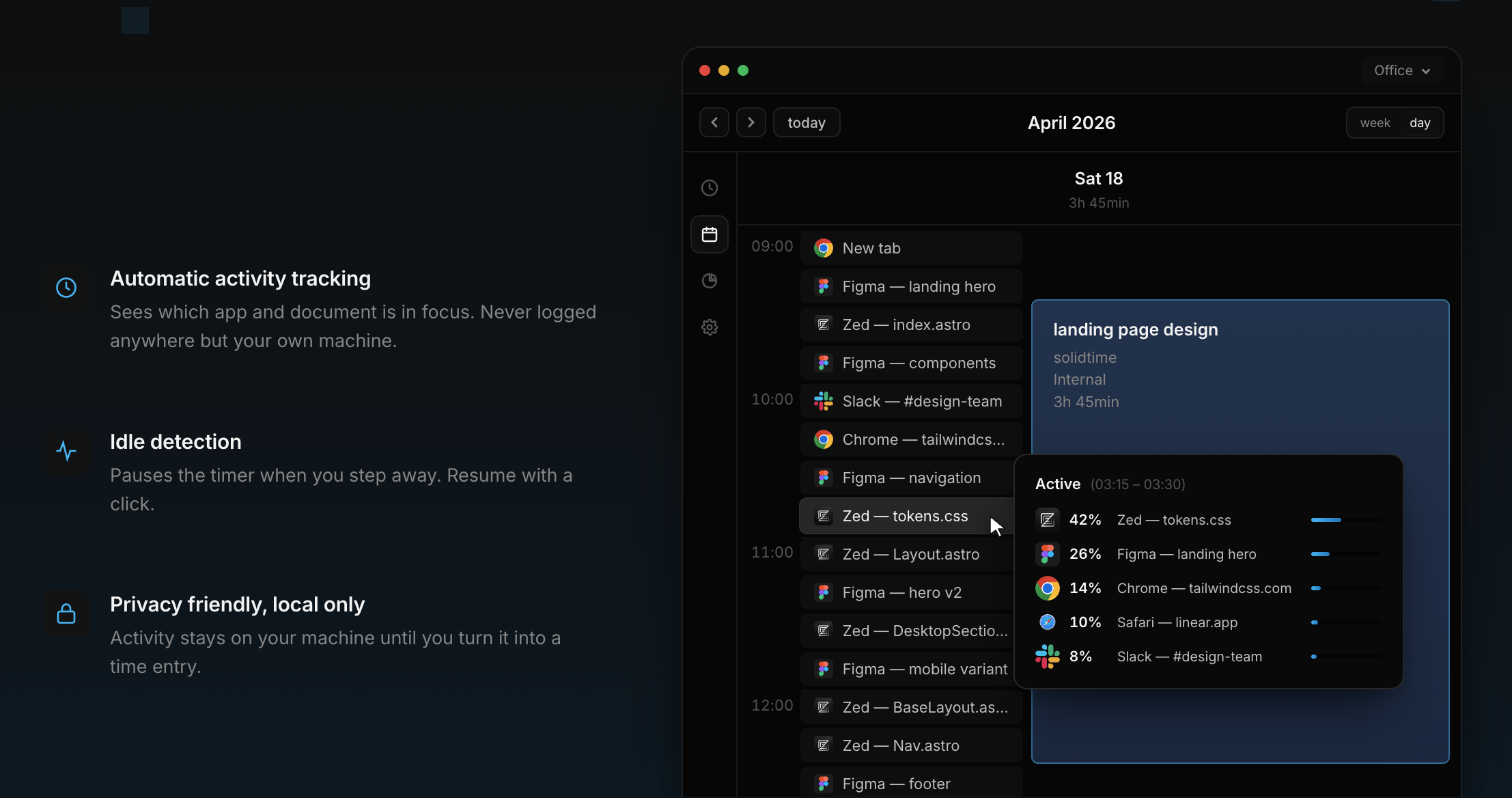
Our desktop apps just got some major improvements and long-awaited features that will make time tracking easier and more accurate. You can download the desktop apps directly from our website right now.
Here’s what’s new:
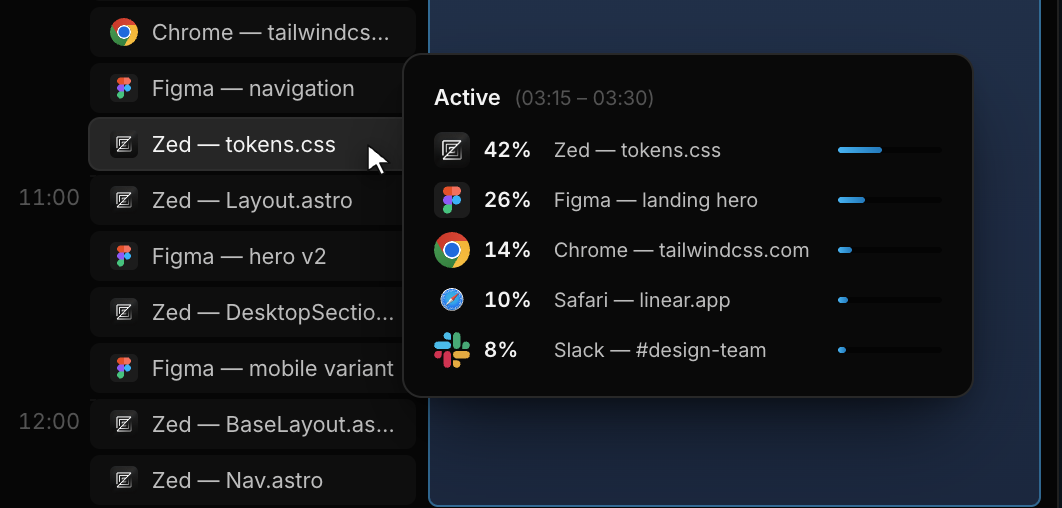
Forgot to start the timer? No problem. The desktop app can now automatically track window activity in the background, so you always know what you’ve been working on, even when you forget to start the timer. All activity data is only stored locally and is never sent to the server. You can enable Window Activity Tracking in the Desktop App Settings.
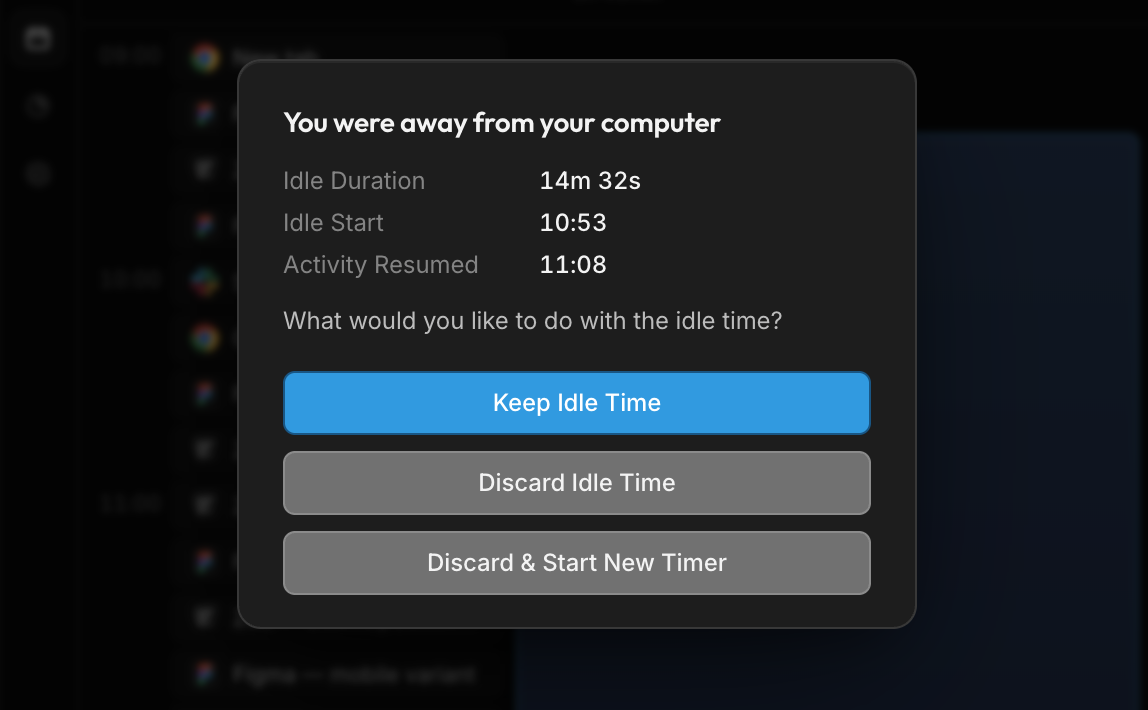 Forgot to stop the timer? We got a solution for that, too. Idle detection will automatically detect inactivity on your computer and will ask you if you want to change the time entry accordingly when you come back. Idle Detection can also be enabled in the desktop app settings, and you can configure a custom idle duration.
If you are on version 0.1.5 you might have to manually download the update again, because the auto-updater broke in that version. Sorry for the inconvenience.





Don't want to receive these e-mails? Unsubscribe View in browser
